


Montage Studio
Compile multiple stories instantly to increase your impact and influence
Compelling, ready-to-share montages, tailored for different audiences, without the need for video editing skills or external resource costs.


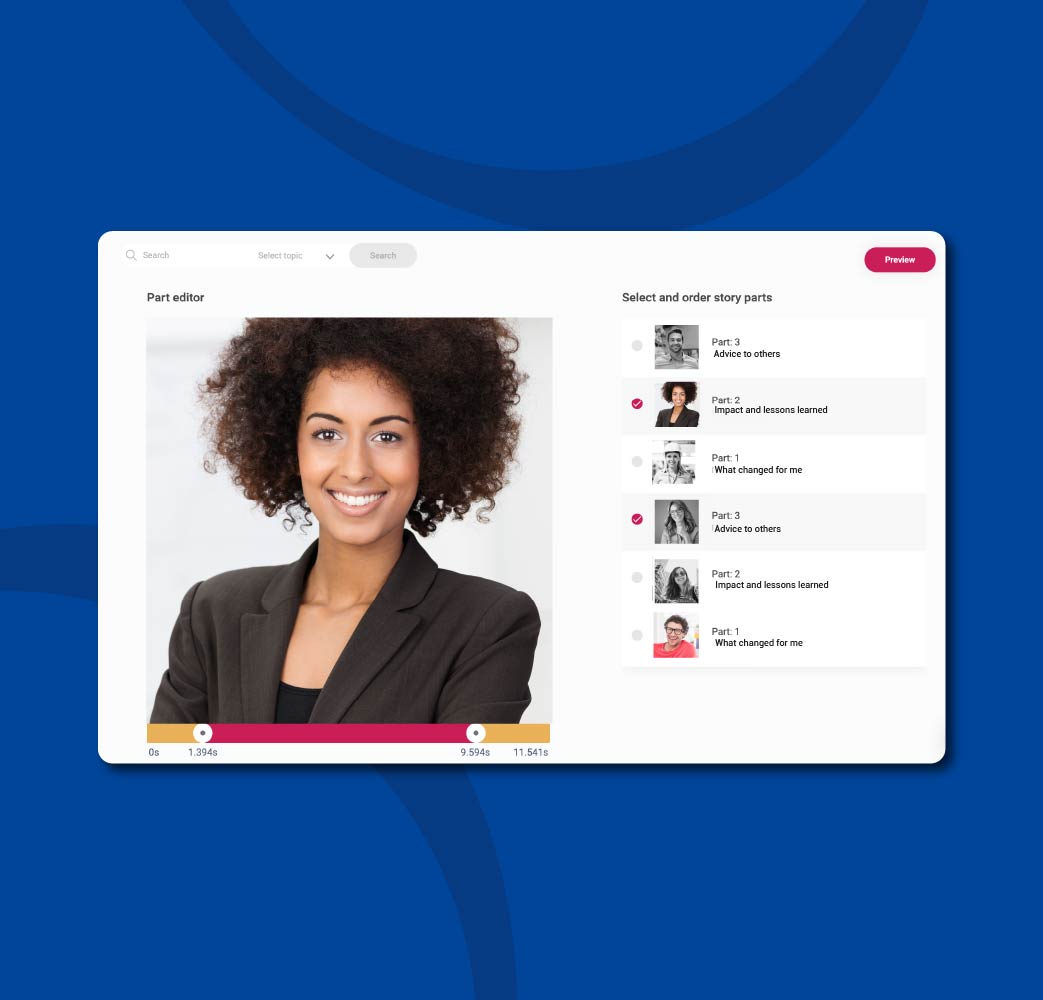
Preview and select montage clips
With Montage Studio anyone in your team can now create inspiring montage videos without specialist editing skills.
With StoryTagger’s intuitive drag-and-drop functionality it’s as simple as building a list of your most influential clips.

Intuitive, speedy editing
Focus your viewers attention on key messages using the quick editor tool.
Select accurate start and end cue points fast to make sure every montage moment is delivering value.
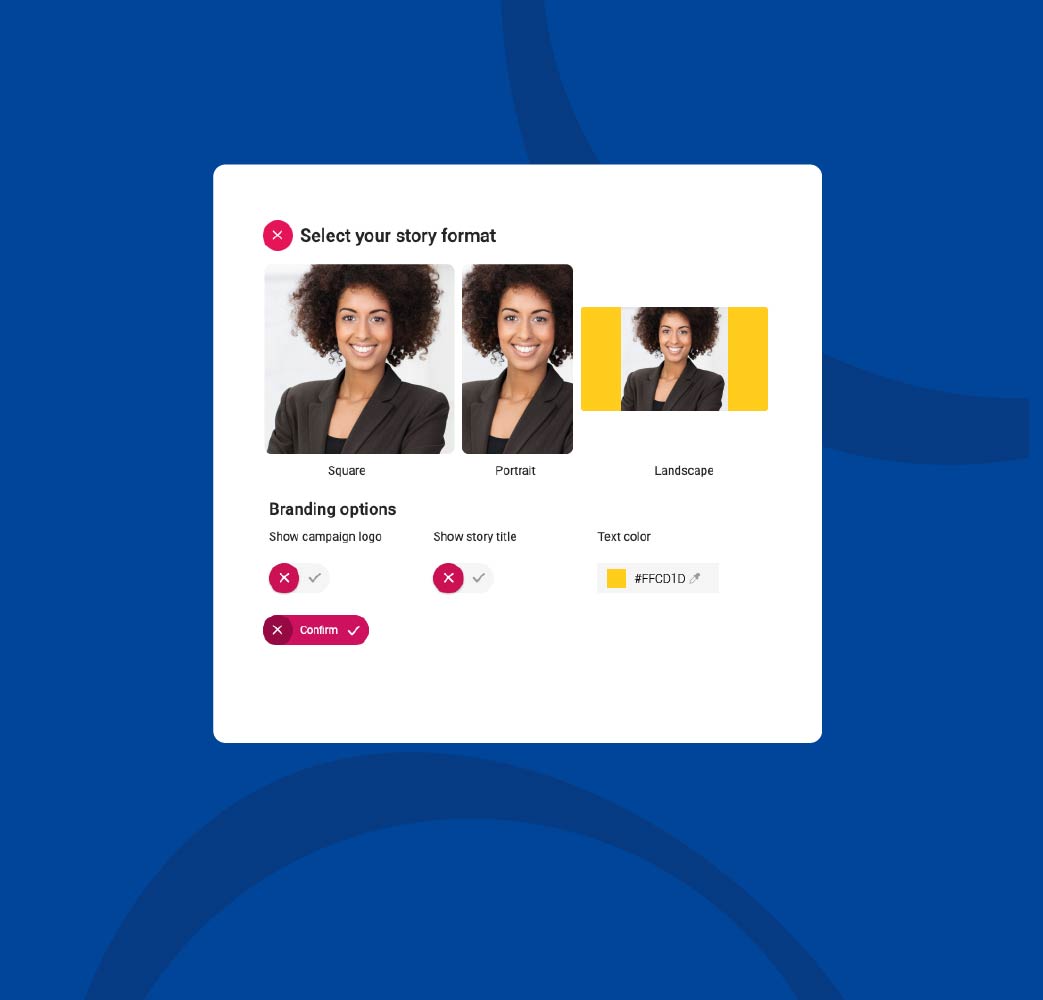
Multi-format export
Select lower thirds to automatically display each speaker’s name and story title.
Add branding and export into square, portrait or landscape.
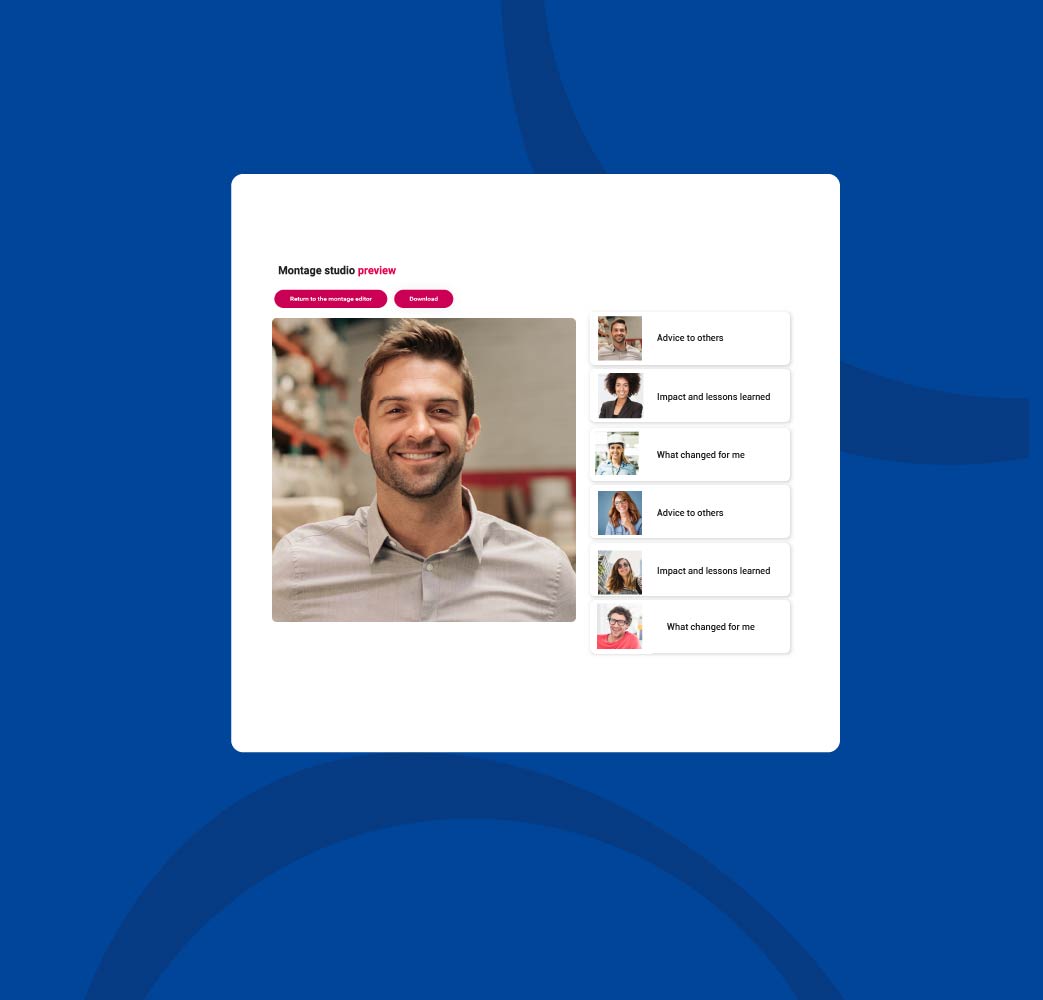
Pixel perfect previews
Watch a preview of each montage before you export to check it’s exactly what you need. It’s simple to make changes.
Select from 12 video export options to make sure your montage story engages your audience on every platform.
★★★★★
The montages are brilliant because they show ‘the learning impact story’ from a participant’s perspective and as coaches we can leverage this for further development.
Executive Coach
London Business School

Want to see StoryTagger?
Explore how a employee-generated approach to knowledge sharing helps you meet a wide range of critical business goals.
Frequently asked questions
Can we customise story templates?
Yes, all our templates can be customised. You can drag and drop questions into any order and change the copy.
How does StoryTagger reduce the need for video editing?
Users record their stories on a number of short videos following specific questions your team provides. These are then automatically merged, compressed and made available for you to download.
How do we invite colleagues to share stories?
Simply add an employees name and email address, and StoryTagger will take care of making sure they’ve got invitations, instructions, reminders, thank you messages.
Can we write prompts in different languages?
Yes. StoryTagger can be used in most languages and offers AI generated translations for stories you receive in a different language.
Can I download the stories as MP4s files?
Stories are saved in a standard MP4 format, and can be downloaded from the admin dashboard.
Is StoryTagger complicated to use?
We designed StoryTagger for very busy people who prefer not to read instructions! The admin dashboard and the user apps offer streamlined and step-by-step workflows.
Can we add titles and branding to stories?
Yes, you can select whether you want unbranded or branded video downloads. Ask our experts about what options are available.
Do we get subtitles and transcripts?
Yes, AI-generated transcripts and subtitles files are included with every story that gets shared.
How do we get started with StoryTagger?
As you can see from our customer list, yes we do! Lots of global enterprises have onboarded StoryTagger. Our experts will guide you through the process of introducing StoryTagger to colleagues and stakeholders.
Resource spotlight
Download our free resources for learning and people teams.

Storytelling at work
Discover the latest tactics for employee storytelling and see what results an inclusive, intentional campaign strategy will deliver.